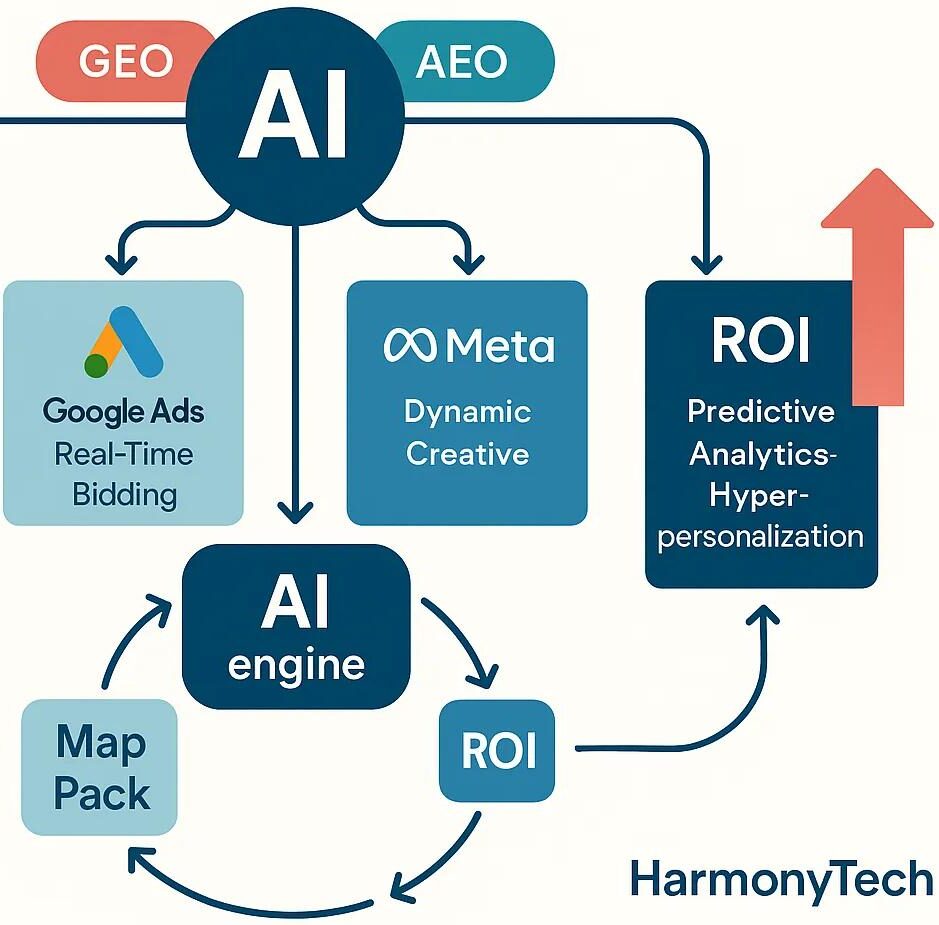
Optimize Your Content for Google Discover with AI Insights

AI Google Discover Optimization: A Practical Guide to Optimizing Content for Google Discover with AI
Google Discover is a recommendation feed powered by machine learning that surfaces timely, interest-driven content based on a user’s behavior, location, and preferences. Optimizing for Discover can deliver large, high-value impressions for publishers and local businesses. This article breaks down how Discover’s personalization model works, which ranking signals matter most, and practical AI-driven workflows for researching, creating, and packaging content that Discover prefers. You’ll find concrete tactics for trend detection, visual and schema best practices, preparing content for Discover’s AI summaries, and operationalizing E‑E‑A‑T when using AI-assisted production. Along the way we include checklists, comparison tables, and real-world examples for content teams and local marketers, plus concise references to Harmony Technologies’ applied work in Generative Engine Optimization (GEO) and Answer Engine Optimization (AEO). Start with how Discover personalizes content, then follow the step-by-step sections on AI content strategy, technical schema, AI Mode summaries, E‑E‑A‑T governance, and local South Florida activations built to convert Discover attention into leads.
What Is Google Discover and How Does Its AI Algorithm Work?
Google Discover is a passive recommendation system that uses machine learning to surface articles, videos, and visual content aligned to inferred user interests. Rather than matching queries, Discover maps user signals to topical recommendations through ranking models. That means success on Discover favors recency, visual relevance, and clear entity signals over traditional query optimization. Understanding this helps content teams prioritize freshness, structured metadata, and a mobile-first presentation so pages stand a better chance of being recommended. The sections below unpack the personalization inputs and the core ranking factors to watch.
How Does Google Discover Personalize Content Using AI?
Discover builds personalized feeds by combining behavioral signals, contextual cues, and content attributes into dynamic user profiles that ranking models score continuously. Behavioral inputs include past searches, app and YouTube activity, and on-device engagement; contextual inputs cover location, device type, and session context. Together these feed an interest-inference model that weights topical relevance. For example, a South Florida resident who reads local events and checks beach forecasts will be more likely to see event recaps and weather updates in Discover. Knowing which signals matter lets teams create content that aligns with inferred interests and produce rapid, locally relevant assets to trigger those models.
What Are the Key Ranking Factors for Google Discover Content?
Discover ranking centers on four practical dimensions: inferred relevance, freshness/timeliness, visual quality, and trust signals (E‑E‑A‑T and structured data). Relevance requires clear topical focus and entity signals so recommendation models can map content to user interests. Freshness means monitoring trends and publishing quickly for time-sensitive topics. Visual quality calls for high-resolution images, meaningful captions, and ImageObject markup to highlight the primary visual. Trust signals include author attribution, verified sourcing, and editorial governance to meet quality thresholds. Treat these factors as a production checklist that balances speed, creative assets, technical markup, and credibility.
How teams prioritize image quality and trust signals directly informs how AI can speed research, creation, and packaging for Discover-ready content.
How Can AI Enhance Content Creation and Strategy for Google Discover?

AI speeds Discover optimization by accelerating trend discovery, helping craft headlines and summaries, and automating image selection and alt-text — while keeping final editorial judgment with humans. Practical workflows combine signal ingestion from trend sources, AI scoring for Discover suitability, and template-driven packaging that pairs headlines, leads, and visuals optimized for snippet extraction. At Harmony Technologies we apply GEO to generate topical variations, AEO to produce snippet-ready answers, and structured experimentation (an AI Ranking Blog) to refine headline and image treatments. The table below compares common AI approaches and clarifies where each adds the most value for teams choosing techniques to adopt.
Intro: This table compares AI approaches and their practical value for Discover-focused content workflows.
Combining GEO for scale, AEO for structure, and predictive models for timing creates Discover-ready content that balances volume with quality.
How Does AI Help Identify Trending Topics and Content Opportunities?
AI spots trends by aggregating signals from Search Console, social listening, and news feeds, then scoring opportunities by velocity, relevance, and Discover fit to produce a prioritized editorial pipeline. A typical workflow ingests query spikes, social volume, and local event calendars, applies an AI scoring model that weights freshness and local relevance, and outputs prioritized briefs for rapid production. For example, spotting an emerging South Florida festival on social channels should trigger a rapid local guide with strong images and a concise lead optimized for summarization. Use a prioritization matrix to decide which topics require immediate packaging and which can be scheduled.
Intro: These steps show an AI-enabled process for detecting and prioritizing topics.
- Data Aggregation: Pull signals from Search Console, Google Trends, and social listening.
- Signal Scoring: Score topics with AI by velocity, relevance, and audience fit.
- Prioritization Matrix: Rank items for immediate, near-term, and evergreen coverage.
Summary: These steps turn raw trend signals into a workable editorial queue that aligns timing, topic, and visuals for Discover.
What Are Best Practices for AI-Powered Visual Content in Google Discover?
Visuals drive Discover performance. AI can recommend, enhance, and caption images, but teams must verify originality, relevance, and correct sizing for card display. Best practices include using original or licensed high-quality photos that meet display thresholds, writing contextual captions and ImageObject schema, and optimizing crops and focal points for mobile card aspect ratios. AI can suggest crops and draft alt-text, but human review ensures brand fit and prevents misleading visuals. Apply these technical and creative steps to improve the chance Discover surfaces your content.
Intro: Follow these visual best practices to align creative assets with Discover expectations.
- Image Specs: Use high-resolution images and confirm recommended aspect ratios for cards.
- Descriptive Captions: Add captions that clarify context and help models interpret the image.
- ImageObject Schema: Mark the primary visual with JSON‑LD to strengthen discovery signals.
Summary: Pair AI-assisted selection with human curation to produce visuals that meet Discover’s visual-first ranking signals and lift click potential.
How Do You Implement Structured Data and Technical SEO for Google Discover with AI?
Structured data and technical SEO give Discover explicit signals about entities, authorship, and visuals. AI can automate generation and validation of JSON‑LD at scale. Relevant schema types include Article/BlogPosting (or NewsArticle where appropriate), ImageObject for visuals, and FAQPage for concise Q&A. AI validation tools can scan pages for missing fields, suggest attributes, and generate templates for common content types, speeding deployment across larger sites. The table below maps schema types to implementation notes to help technical teams prioritize markup for Discover.
Intro: This table maps schema types to practical implementation notes for Discover optimization.
Summary: Prioritize Article and ImageObject markup, use FAQPage when content includes short Q&A, and validate JSON‑LD with automated tools to keep markup consistent.
Which Structured Data Types Improve Google Discover Visibility?
Article, BlogPosting, and NewsArticle schemas help Discover categorize content by entity relationships; ImageObject describes visual assets; FAQPage structures short, answerable content useful for AI summaries. Well-implemented Article schema attaches author and publish context so recommendation models can better match user interests, and ImageObject ensures the primary image is explicitly linked to the article. FAQ markup helps AI extract concise facts for summaries — but always validate answers with humans. Use AI to populate repetitive fields while keeping editorial oversight in templates.
How Does Mobile-First Optimization Impact Google Discover Performance?
Most Discover consumption happens on mobile, so mobile-first optimization matters. Core Web Vitals, responsive images, and fast loading directly affect ranking and engagement. Key tactics include responsive image delivery, lazy-loading non-critical assets, improving server response times, and prioritizing Largest Contentful Paint on mobile. AI tools can analyze performance at scale, suggest fixes, and help implement image format conversions and caching strategies. Strong mobile metrics not only improve Discover eligibility but also give visitors a better on-site experience after they click through.
Optimizing mobile performance and schema sets up content for Google Discover’s AI Mode and its summarization behavior.
How Can AI Optimize Content for Google Discover’s AI Mode and Summaries?
Discover’s AI Mode can generate on-card summaries that reduce clicks if content isn’t structured to preserve attribution and click value. Craft content with precise lead facts, clear context, and exclusive assets that encourage visits. Structure the lead paragraph to surface the main facts, add short supporting bullets, and use explicit entity mentions so AI summaries are accurate and properly attributed. Use schema and meta signals to guide summarization models, and place proprietary charts, images, or CTAs deeper in the article to retain click incentives. Below are practical formatting steps to make content summary-friendly while protecting engagement drivers.
Intro: Use these formatting strategies to improve summary accuracy and preserve click value.
- Concise Lead: Put the main facts and value proposition in the first one or two sentences.
- Structured Subheads: Use clear subheads and short bullets that models can parse into summaries.
- Unique Assets: Reserve exclusive images, charts, or downloads inside the article to encourage clicks.
Summary: Structuring content for summarization helps balance accurate representation in AI Mode with incentives for readers to visit the full article.
What Strategies Ensure Effective AI-Generated Summaries for Discover?
Effective AI summaries come from content that states the core message early, uses explicit entity names, and includes schema that signals intent and context. A best-practice lead answers who, what, when, where, and why in brief form, followed by a short list of supporting facts models can use to build accurate summaries. Include Article and ImageObject schema plus clear author and organization names for proper attribution, and audit generated summaries regularly to catch misrepresentations. Those steps help teams surface accurate summaries while protecting brand messaging.
How Does AI Mode Affect User Engagement on Google Discover?
AI Mode can lower immediate click-through by delivering useful on-card summaries, but it also raises impressions and can create new intents that eventually convert if the article offers unique value. To reduce summary cannibalization, include exclusive insights, downloadable assets, or interactive elements that summaries won’t fully capture, and place clear CTAs near unique content to capture visitors. Measure Discover impressions, CTR trends, session depth, and downstream leads to evaluate impact; run experiments with different lead phrasing or withheld details to find the right balance. Adapting to AI Mode is an iterative process of testing and refinement.
How Do E-E-A-T Principles Apply to AI-Generated Content for Google Discover?
Applying Experience, Expertise, Authoritativeness, and Trustworthiness (E‑E‑A‑T) to AI-assisted content requires clear operational controls: named authors with bios, human review steps, cited sources, and visible correction policies. E‑E‑A‑T is demonstrated through evidence and attribution, so publish author credentials, link to primary sources, and include case examples showing hands-on experience. Ensure AI-generated passages are validated by subject experts and build governance into pre-publication checklists, fact checks, and post-publication monitoring. These practices protect credibility and send stronger signals to recommendation systems.
How Can AI Demonstrate Expertise and Authoritativeness in Content?
AI helps gather citations, draft expert summaries, and assemble author templates, but demonstrable expertise comes from named authors, linked credentials, and curated case evidence that humans validate. Practical templates include a byline with brief credentials, a linked professional profile, and a concise case summary with measurable outcomes — AI can draft these, but humans should confirm figures and permissions. Use AI for citation harvesting but require manual verification before publication, and present case results with quantifiable metrics when possible. These steps satisfy the authoritativeness component of E‑E‑A‑T and increase Discover’s confidence in recommending your content.
Intro: Governance steps to operationalize E‑E‑A‑T for AI-assisted workflows.
- Named Authors: Publish under a named author with a short, credentialed bio.
- Human Validation: Require at least one subject-matter review of AI-generated content.
- Citation Workflow: Use AI to surface sources, but verify provenance and accuracy manually.
Summary: These controls ensure AI augments expertise rather than replacing it, preserving authoritativeness for Discover.
What Role Does Trustworthiness Play in AI-Optimized Discover Content?
Trustworthiness depends on transparency, verifiable sourcing, and a clear corrections process. Disclose AI assistance when relevant, link to primary sources, and maintain an accessible editorial corrections policy. Transparency reduces reader risk, while traceable sourcing and an audit trail help recommendation systems and users assess reliability. Implement monitoring for factual drift and a rapid correction workflow for errors, and log review actions to document human oversight. These practices protect brand reputation and meet discovery systems’ quality expectations.
Operationalizing E‑E‑A‑T alongside local strategies leads into targeted South Florida activations that turn Discover visibility into leads.
How Can South Florida Businesses Leverage AI for Local Google Discover Optimization?
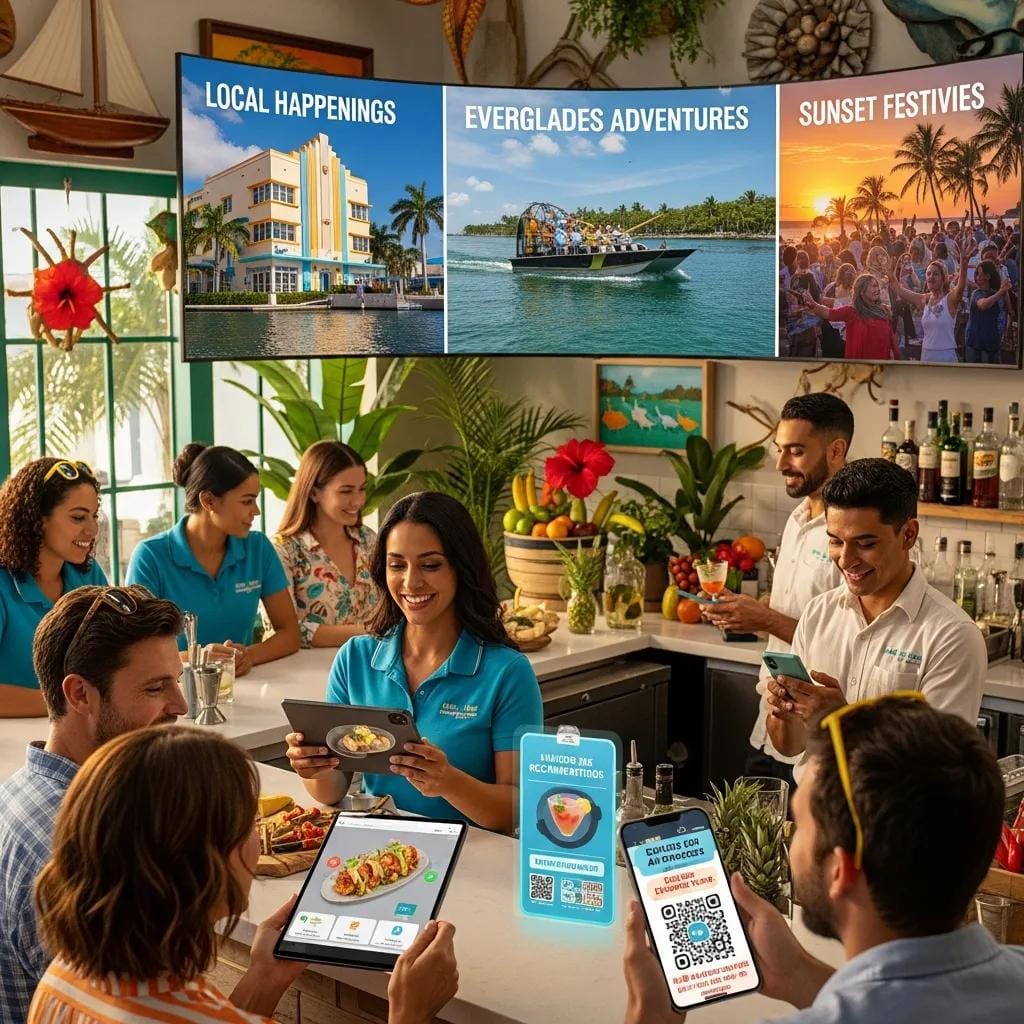
South Florida businesses can use AI to spot region-specific events, build timely local guides, and create visuals that resonate with residents and visitors — all of which increase Discover relevance for geo-targeted audiences. AI workflows should ingest local event calendars, social chatter, and regional search spikes to prioritize content such as beach safety updates, festival coverage, or seasonal tourism guides. Package local content with strong images, LocalBusiness or Service schema where relevant, and community-focused author voices to boost the chance Discover surfaces it nearby. For consultations or local audits tailored to South Florida, you can contact Harmony Technologies to explore localized AI strategies and predictive marketing capabilities.
Intro: The table below maps local business types to nearby attributes and recommended AI content tactics for South Florida.
Summary: Mapping verticals to event-driven content and AI playbooks helps prioritize efforts that produce measurable Discover impressions and local engagement.
What AI Techniques Target Local Events and Trends for South Florida?
AI targets local events by correlating geo-filtered search spikes, geo-tagged social posts, and municipal event listings, then scoring signals and converting them into ready-to-publish templates for fast activation. Techniques include automated event scraping, clustering social mentions by neighborhood, and sentiment scoring to surface high-interest local stories, followed by template generation for guides, recaps, and FAQs. Immediate South Florida activations might include beach-safety advisories during storm season, festival coverage with menus and images, or last-minute event roundups optimized with local phrasing. Pair AI detection with human curation to keep content accurate and context-sensitive.
Intro: Use this rapid playbook to activate on local trends detected by AI.
- Signal Collection: Ingest local search and social signals with geo-filters.
- Event Scoring: Rank events by local relevance, timeliness, and potential reach.
- Rapid Template Activation: Deploy pre-built templates for guides, recaps, and FAQs.
Summary: This playbook turns local signals into Discover-friendly content quickly while maintaining editorial quality.
What Are Examples of South Florida Businesses Succeeding with AI on Google Discover?
Successful local examples combine rapid topical coverage, localized visuals, and clear schema to turn Discover impressions into visits and leads. For instance, a boutique hotel that used AI to assemble a last-minute holiday guide with regional imagery and a concise lead saw a rise in Discover impressions and bookings. A restaurant that published festival menus with high-quality photos and FAQ markup saw improved mobile engagement. These cases show that timely, well-marked, locally relevant content can drive measurable Discover traction. For focused audits or campaign planning, Harmony Technologies offers consultations via its contact page to align predictive marketing with local demand.
Intro: Common elements behind strong local Discover activations.
- Timely Coverage: Rapidly published guides and recaps tied to local events.
- High-Quality Visuals: Regionally relevant images with ImageObject markup.
- Structured Local Markup: LocalBusiness or Service schema where applicable.
Summary: These practices form repeatable playbooks South Florida businesses can use to increase Discover visibility and capture leads.
Frequently Asked Questions
1. How can I measure the success of my content on Google Discover?
Measure Discover performance with impressions, click-through rate (CTR), and engagement metrics. Use Google Search Console to see how often content appears in Discover and analyze on-site behavior in your analytics platform to track time on page and downstream conversions. Regularly reviewing these metrics reveals which topics and formats resonate and guides future optimization.
2. What types of content perform best on Google Discover?
Discover favors timely, visually strong content that aligns with user interests: news-style articles, local guides, explainers, and visual pieces like infographics or short videos. Local trends and event-driven content often perform well because Discover personalizes by location. Test formats and monitor performance to find what works for your audience.
3. How often should I update my content for Google Discover?
Keep content fresh—update time-sensitive pages and trend pieces every few weeks or whenever new facts emerge. For evergreen content, periodic refreshes and new visuals help maintain relevance. The goal is to signal freshness for topics Discover sees as time-sensitive while preserving accuracy.
4. Can I use AI tools for content optimization on Google Discover?
Yes. AI can speed discovery of trending topics, draft headlines and leads, suggest images and alt-text, and validate schema. Use AI for scale and ideation but retain human review for accuracy, attribution, and brand voice. That combination yields efficient, trustworthy content for Discover.
5. What role does user engagement play in Google Discover rankings?
User engagement matters. Discover looks at how users interact with content — clicks, dwell time, and shares — as signals of value. Create compelling headlines, clear leads, and strong visuals to encourage engagement, and track metrics to iterate on what performs best.
6. How can I optimize my visuals for Google Discover?
Use high-resolution, contextually relevant images with proper aspect ratios and descriptive captions. Implement ImageObject schema and include credits or license metadata. Prefer original or licensed photos and have humans approve AI-suggested images to ensure brand fit and accuracy.
7. What are the best practices for using structured data with Google Discover?
Implement Article/BlogPosting, ImageObject, and FAQPage where appropriate and ensure your JSON‑LD is complete and accurate. Regularly validate structured data with automated tools to catch errors. Correctly applied schema improves Discover’s ability to categorize and summarize your content.
Conclusion
Optimizing for Google Discover with AI boosts visibility when you combine timely topics, strong visuals, and clear technical signals. Structured data, concise leads, and E‑E‑A‑T governance help recommendation models surface your content and preserve trust. Measure impressions, CTR, and downstream conversions to refine your approach, and iterate with experiments that balance AI efficiency and human oversight. For tailored guidance and local strategies, reach out to our team to see how we can help refine your Google Discover program.